Module 6: AI Features
Cortex LLM assistants — not predictive ML


Duration: 45 min — Animation (3) · Think & Discuss (7) · Theory (15) · Quiz (3) · Practice (17)
| Platform | Workshop compute | Role | Used for in this module |
|---|---|---|---|
| Snowflake | DE_WORKSHOP_WH — Started |
DE_WORKSHOP_ROLE |
AI_COMPLETE() in Workspaces SQL files (Exercise: Snowflake § role) |
| Databricks | Cluster attached for notebook Assistant + ai_query() on 04_ai_features (PySpark Option A or spark.sql() Option B) |
PySpark Assistant; ai_query() on attached cluster (Exercise: Databricks § cluster) |
|
| Databricks Genie | de-workshop-wh SQL warehouse (facilitator-managed) |
Natural-language queries over Gold — not the PySpark cluster (cluster vs warehouse) |
Gold tables from Modules 2–3 must exist. Lab: Exercise: AI Features.
Cortex access (05_cortex_access.sql)
Module 6 and Module 9 ML need SNOWFLAKE.CORTEX_USER on DE_WORKSHOP_ROLE. You are the admin on your trial — run once if not done yet:
- Open
snowflake/sql/setup/05_cortex_access.sqlfrom your Git workspace or Codespace - Run all as ACCOUNTADMIN
- Exercise as
DE_WORKSHOP_ROLEwithDE_WORKSHOP_WHStarted (Exercise: Snowflake § role)
Re-run as ACCOUNTADMIN if AI_COMPLETE or ML.FORECAST returns access denied.
Trial accounts need a payment method to run Cortex AI. On a trial account AI_COMPLETE (and the legacy SNOWFLAKE.CORTEX.COMPLETE) fail with “AI function … is not available for trial accounts” until a card is added. To run the lab queries, add one in Snowsight → Admin → Billing & Terms → Payment Method. If you prefer not to, just review the code in the exercise — the SQL still shows how Cortex AI is called.
1. Animation
2. Think & Discuss
Situation: Marcus saw Priya’s dashboard and asked whether AI can speed up analyst workflows. MHP demos assistants — medallion remains the source of truth. Priya, James, and Elena still own KPI definitions and accountability.
Prompts:
- What task is Marcus trying to speed up — building pipelines, writing SQL, or reading dashboards?
- Where could AI help in this NYC Taxi project? Where would you not trust AI?
- If AI writes SQL against Silver, what must still exist in your architecture for the answer to be trustworthy?
- Governance — who is accountable if AI-generated SQL exposes wrong revenue numbers to Marcus?
- Could AI replace Priya’s Power BI dashboard? Why or why not?
3. Theory
| Module | Product | Examples |
|---|---|---|
| 6 — AI Features | Cortex LLM | AI_COMPLETE, Genie, CoCo (Snowflake) / Assistant (Databricks) |
| 9 — ML (optional) | Snowflake ML Functions | ML.FORECAST, Snowpark ML training |
Do not preview ML.FORECAST in Module 6.
Do not hardcode LLM IDs (mistral-large2, databricks-meta-llama-3-3-70b-instruct, etc.). Verify available models in your workspace/account before class.
Beyond AI_COMPLETE() (used hands-on below), Snowflake offers two additional AI services worth knowing:
- Cortex Analyst — translates natural language questions into SQL, but unlike Genie, it runs against a governed semantic model (a YAML definition of tables, columns, and business metrics). This ensures the AI only queries approved, well-defined columns — making it suitable for self-service analytics where governance matters.
- Cortex Search — provides hybrid search (semantic + keyword) over both unstructured documents and structured data, enabling RAG (Retrieval-Augmented Generation) patterns within Snowflake.
Databricks RAG equivalent: On Databricks, Mosaic AI Vector Search provides managed vector indexes for RAG patterns — embedding documents and retrieving relevant chunks to ground LLM responses. Both platforms fully support RAG; the choice depends on which ecosystem your data already lives in.
Snowflake Intelligence (announced 2025) bundles these services into a unified AI layer — think of it as the umbrella brand for all Cortex AI capabilities. For this workshop, the hands-on focus remains on AI_COMPLETE(), Genie, and notebook assistants.
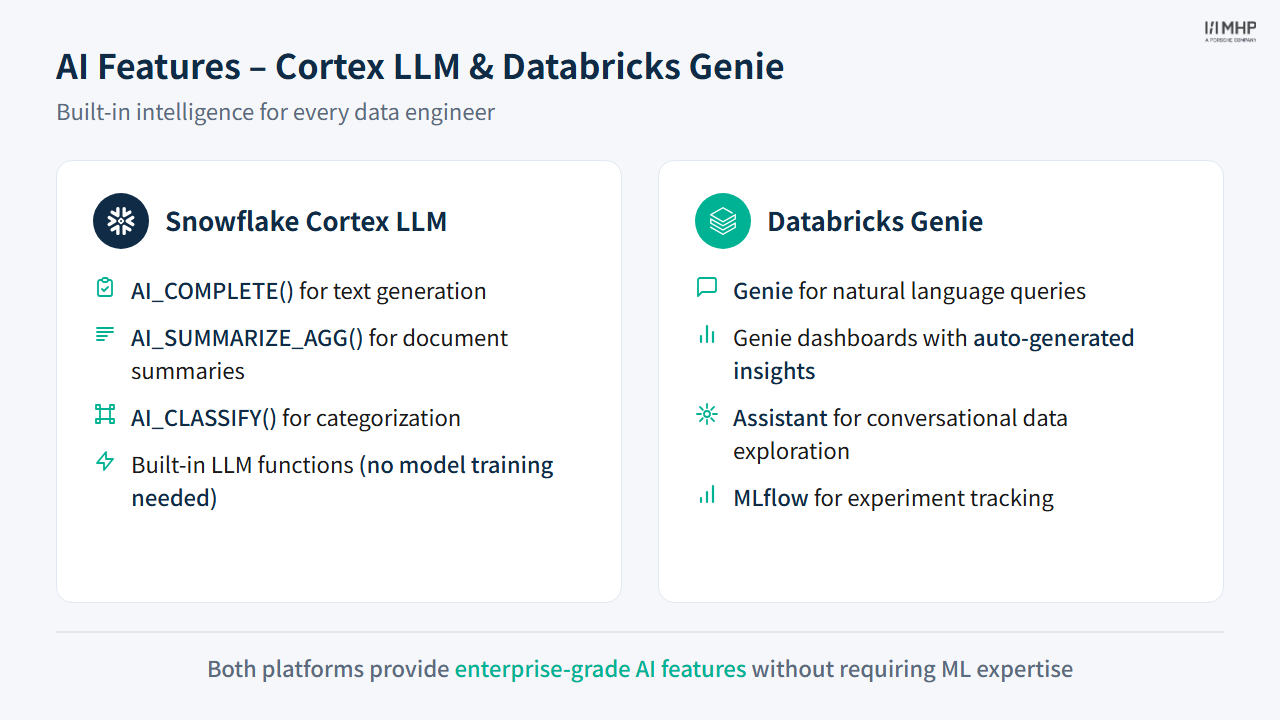
3.1 Snowflake Cortex AI (20 min — Hands-on)
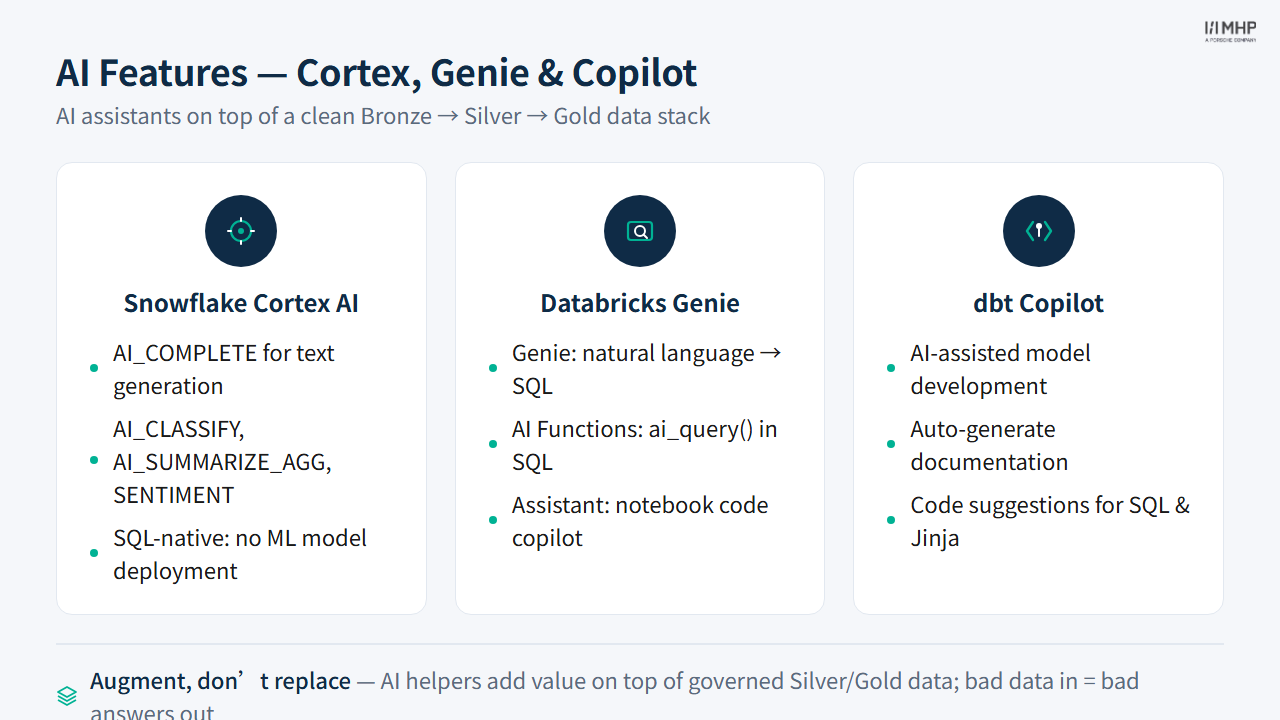
AI_COMPLETE — LLM-powered Data Analysis
Snowflake’s AI_COMPLETE() function runs LLMs directly in SQL queries:
SET attendee_id = (SELECT value FROM DE_MASTERCLASS.PUBLIC._workshop_config WHERE key = 'attendee_id');
SET silver_enriched = 'DE_MASTERCLASS.' || $attendee_id || '_SQL_SILVER.silver_nyc_taxi_enriched';

SELECT
    pickup_zone,
    dropoff_zone,
    time_of_day,
    AI_COMPLETE(
        'mistral-large2',
        'Classify this NYC taxi trip as business, leisure, or commute: '
        || 'From ' || pickup_zone || ' to ' || dropoff_zone
        || ' during ' || time_of_day
    ) AS trip_classification
FROM IDENTIFIER($silver_enriched)
LIMIT 10;
Additional built-in Cortex AI functions include AI_SUMMARIZE_AGG() for document summaries and AI_CLASSIFY() for categorization — all without model training or external API calls.
Snowflake CoCo — AI-Assisted SQL (formerly Cortex Code)
Inline AI coding agent in Snowsight Workspaces — Snowflake rebranded Cortex Code to CoCo in 2026. Your UI may still show Cortex Code or Copilot; the workflow is unchanged:
- Available in Snowsight SQL editor (
Cmd+I/Ctrl+I) - Generates SQL from natural language descriptions
- Explains existing queries
- Suggests optimizations
CoCo also ships as Desktop and CLI — optional beyond this workshop. Lab steps: Exercise 4.
Exercise
See AI Features Exercise for guided Cortex AI exercises.
3.2 Databricks Genie (15 min — Guided Demo + Hands-on)
Databricks Assistant
AI coding assistant integrated into notebooks:
- Type a prompt → get PySpark code
- Explain existing code
- Debug errors
- Available in every notebook cell
Try these prompts: > “Write a PySpark query to find the top 5 routes by revenue” > “Explain this data quality filter” > “Add a column that classifies tips as low/medium/high”
AI Functions — ai_query() (04_ai_features Exercise 2)
Run LLMs on your data from the notebook — Option A (PySpark) or Option B (SQL via spark.sql()). Both classify trip purpose from Silver enriched data (10 rows).
Avoid $ and deprecated ${param} in SQL strings. Git .py notebooks should not use %sql cells — use the notebook cells as written.
Option B (SQL) — after the notebook registers temp view _workshop_enriched_ai:
SELECT
    pickup_zone,
    dropoff_zone,
    ai_query(
        'databricks-meta-llama-3-3-70b-instruct',
        format_string(
            'Classify the likely trip purpose in 1-2 words. Pickup: %s (%s). Dropoff: %s (%s). '
            || 'Time: %s, hour %s. Distance: %s mi. Fare: %s USD.',
            pickup_zone, pickup_borough, dropoff_zone, dropoff_borough,
            time_of_day, CAST(pickup_hour AS STRING),
            CAST(ROUND(trip_distance, 1) AS STRING),
            CAST(ROUND(total_amount, 2) AS STRING)
        )
    ) AS trip_purpose_ai
FROM _workshop_enriched_ai
WHERE pickup_zone IS NOT NULL AND dropoff_zone IS NOT NULL
LIMIT 10;
Full Option A (PySpark) code is in 04_ai_features.py — see Exercise: AI Features.
Genie (formerly AI/BI Spaces)
Create a natural-language interface over Gold tables:
- In the Databricks sidebar, click Genie (under the SQL section)
- Create a new Genie space connected to your Gold schema
- Ask questions in plain English: “What hour has the most taxi trips?”
Beyond the Genie and Assistant features demonstrated here, Databricks offers the Mosaic AI stack for production AI workloads: Model Serving (managed REST endpoints for ML and LLM models), Vector Search (managed vector indexes for RAG), and Agent Framework (orchestration for multi-step AI agents). These are production-grade tools that extend beyond the workshop scope but are worth knowing for teams building AI applications on Databricks.
3.3 dbt MCP Server (10 min — trainees can use locally)
The dbt MCP server integrates your local dbt Core project with AI coding assistants in VS Code or Cursor — no dbt Cloud account required:
- Query dbt documentation from your IDE
- Get model recommendations
- Auto-complete
ref()andsource()references - Run
dbt run,build,test, andshowfrom the assistant chat (when enabled)
Install: uvx dbt-mcp (see dbt MCP docs).
3.4 dbt Copilot (optional — facilitator demo)
Features (dbt Cloud Starter+ plans only)
Requires dbt Cloud — not part of the Module 4 Core CLI lab:
- Auto-generate documentation: AI writes model descriptions from SQL
- Auto-generate tests: AI suggests data tests based on column patterns
- SQL generation: Natural language → dbt SQL model
3.5 Discussion: Where Does AI Add Most Value?
Consider these scenarios:
| Scenario | Best AI Tool |
|---|---|
| Classify trip data at scale | Cortex AI / ai_query() |
| Generate boilerplate SQL | Databricks Assistant / Copilot |
| Auto-document 50 dbt models | dbt MCP server (local) / dbt Copilot (Cloud) |
| Explore data via natural language | Genie / Cortex Analyst |
| Debug a failing query | Any AI assistant |
| Write data tests | dbt MCP server (local) / dbt Copilot (Cloud) |
Key insight: AI is most valuable for repetitive, pattern-based tasks — not for architectural decisions or complex business logic.
AI on governed data only
Always run AI functions against Silver or Gold tables — never against raw Bronze. LLMs produce more reliable, consistent results when the input data is clean, typed, and validated. If AI_COMPLETE() generates a classification for a zone name that contains null or garbled values, the output is garbage. Clean data in, useful AI out.
AI outputs are not deterministic
LLM-based functions (AI_COMPLETE, ai_query()) are probabilistic — the same input can produce different outputs across runs. This means: (a) never use LLM output as a primary key or join condition, (b) always validate AI-generated classifications against known ground truth before trusting them at scale, and (c) do not put AI-generated columns into financial reports without human review. AI accelerates exploration; humans validate production KPIs.
3.6 Key Takeaways
- This module ≠ Module 9 — Module 6 covers LLM assistants (text generation, classification, code generation); Module 9 covers predictive ML (regression, forecasting)
AI_COMPLETE()andai_query()run LLMs inside SQL — no separate API server or infrastructure needed- Genie and Cortex Analyst provide natural-language interfaces over Gold tables — ideal for self-service analytics
- AI is most valuable for repetitive, pattern-based tasks: boilerplate SQL, data classification, documentation generation
- AI outputs are probabilistic — always validate against governed Silver/Gold data and never use as primary keys
- Cortex Analyst uses semantic models for governed self-service; Cortex Search enables RAG patterns
4. Quiz
Quiz: Module 6 — AI Features Quiz
Before moving on, make sure you can answer:
- What is the difference between
AI_COMPLETE()(Module 6) andML.FORECAST(Module 9)? - Why should AI functions run against Silver or Gold tables rather than Bronze?
- Name two scenarios where AI assistants save significant time in data engineering workflows.
5. Practice
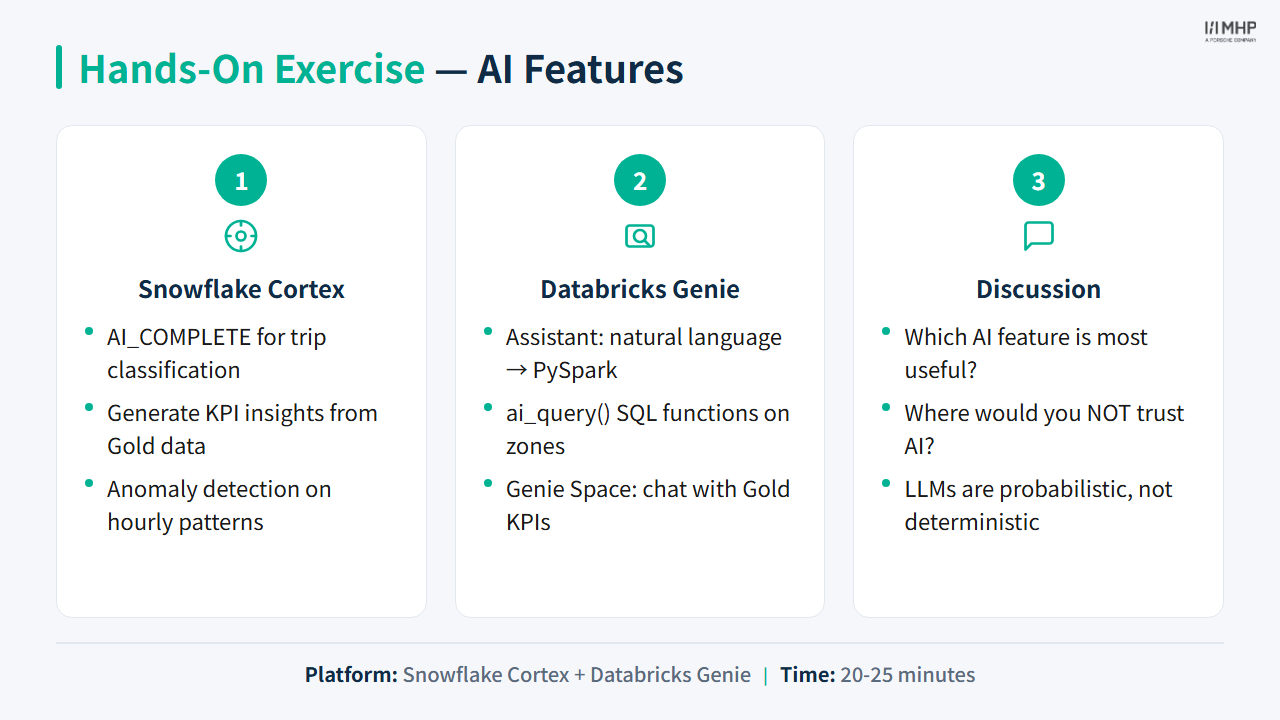
Hands-on lab
Priya / Power BI: AI helps Priya explore Gold faster — it does not replace her KPI definitions or dashboard.
Next module
Module 7: Comparison & Wrap-up — Priya presents the finished dashboard. Marcus asks what to run in production — you decide.